Home  /  Guide  /  I can’t open the repeater

Beginner’s guide · 2 m and 70 cm

I can’t open the
repeater

Don’t worry — this happens to a lot of people at first. It’s usually down to the radio settings, less often the coverage. Choose your repeater and your radio and I’ll show you, step by step, what to set.

How a repeater worksYour radio transmits to the repeater input on 145.150 MHz with a 127.3 Hz tone. The repeater on a high mast receives that signal and immediately re‑transmits it on the 145.750 MHz output, so stations beyond your direct range can hear you — for example a friend behind a hill.145.750145.750youfriend behind the hill1 · you speak (PTT)145.150 + tone 127.3repeater · SR5W “Wanda”listens on: 145.150 MHztransmits on: 145.750 MHztone = key2 · everyone hears145.750 MHz
1

You transmit on the input

Press PTT. Your radio transmits on the frequency the repeater listens on.

2

The tone opens the repeater

Along with your voice the radio sends a quiet tone. Most FM repeaters won’t open without it — like a door without a key.

3

Everyone hears on the output

The repeater immediately re‑transmits your audio on the other frequency, from high up on the mast, far across the area.

Step 1 · your repeater

What to set on the radio

Enter the repeater’s callsign or a town, or show the repeaters nearest to you. The display next to it shows what to set.

Loading the list of repeaters…

Step 2 · your radio

What to press

Choose your model. I base the steps on the user manuals (for the UV‑5R also on L. Lidberg’s write‑up) and I’ll insert your chosen repeater’s values straight away.

Step 3 · still not working?

Answer three questions

Click your answer and you’ll go to the solution for your situation.

Question 1

Do you hear traffic from the repeater?

Question 2

Press PTT, say your callsign and release. Do you then hear a brief burst of noise, a “pip” or the repeater’s ID?

Question 3

On which band is the repeater?

Great, the repeater hears you

Store the settings in a memory channel so you don’t have to enter them again. Before calling, listen for a moment to make sure no one is talking, keep it short and leave pauses between overs. Good luck on the band!

I hear the repeater, but I can’t open it

A common case. You can hear the repeater, so your receive is fine. The problem is on the transmit side.

  1. Check what you’re transmitting on. After pressing PTT the radio must transmit on the repeater input, e.g. 145.150 MHz for SR5W or 431.7625 MHz for SR6WB. For almost all repeaters on the map the shift direction is minus and the value is 0.6 MHz on 2 m and 7.6 MHz on 70 cm. Any exceptions will be shown on the repeater card. More about the offset
  2. Enable tone on transmit. The CTCSS tone must be set as an encoder — that is, sent during transmit — and must exactly match the value given on the repeater card. A decoder alone (tone on receive) does nothing for the repeater. With a 1750 Hz tone burst watch out for the opposite issue: a tone that’s too loud is, according to the maintainer of the British repeater GB3GD, one of the most common reasons a repeater “doesn’t hear” a station. More about the tone
  3. Check the frequency is exact. If you keyed it in from the keypad and the step is 25 kHz, the radio may have rounded it. The Baofeng UV‑5R rounds down to the step, so 439.3625 becomes 439.350. More about the step
  4. Go outside or higher. You can hear the repeater on a mast from far away, but it might not hear you at all with 5 W and a short antenna indoors. Try at a window, on the balcony or with an external antenna. More about coverage
  5. Make sure the radio is actually transmitting. When you press PTT an LED or a TX indicator should light. If the radio beeps and won’t transmit, check busy‑channel lock‑out and whether transmitting on that frequency hasn’t been disabled in the settings. Radio pitfalls

I can’t hear anything from it

Silence on the repeater output doesn’t necessarily mean a fault. Check your radio first, then the repeater.

  1. Temporarily turn off tone on receive. If the radio has tone decoding enabled (tone squelch), it will only open the speaker when the repeater sends the same tone back. If the repeater doesn’t send the tone, you’ll hear silence. Leave tone on transmit only.
  2. Check the output frequency and squelch. You should be listening on the repeater output, e.g. 145.750 MHz for SR5W. Open the squelch for a moment or hold MONI until you hear noise. If there’s still no noise, check volume, mode (FM, not AM or a digital mode) and tone decoder.
  3. Make a short call and listen after releasing PTT. A repeater usually sits silent until someone transmits. Say your callsign, release PTT and listen. If the repeater heard you, you’ll usually hear its carrier, a “pip”, or its callsign just after you release PTT.
  4. Check whether the repeater is actually on air. On the map each repeater’s card shows the licence date from UKE (the Polish Office of Electronic Communications). If the licence has expired or nobody has heard it for months, report it with the “Report” button.

It opens and then immediately closes

The repeater hears you but drops out. It’s usually a marginal signal or a tone issue.

  1. Weak signal on the input. With a signal on the edge of coverage the repeater hears you one moment and not the next. In motion, by a window or in a car the signal fluctuates and the repeater “breaks up”. Move to a better spot, raise the antenna or increase power.
  2. Tone for the whole transmission. CTCSS is a tone the radio sends throughout the transmission. Set it in the channel permanently, not just with a button at the start. The 1750 Hz burst is sent once, at the beginning: hold the button until the repeater opens, then release and transmit with the normal PTT.
  3. Pause for a moment after pressing PTT. Take a short pause before you start speaking.
  4. Transmitting for too long. Repeaters have a time‑out timer and will cut off after an over‑long over. Some radios also have a transmit time‑out timer. IARU guidelines say to keep it as short as possible and leave gaps between overs, and the gap also lets the repeater reset its counter.

It opens, but I’m hard to copy

The repeater opens, but the other station says you’re quiet, noisy or distorted.

  1. Noise and crackle. Usually that’s a weak signal at the repeater input. The same fixes as for drop‑outs: a better spot, a higher antenna, more power.
  2. Hoarse, ‘woolly’, then you fade out. This is a symptom of too much deviation. The IARU recommendation for Region 1 is FM with deviation up to ±3 kHz (12.5 kHz channel), and many radios in wide mode (“W”, “WIDE”) transmit with deviation up to ±5 kHz. An over‑modulated signal spills outside the repeater receiver’s filter: first it sounds distorted, and with greater deviation it weakens until it disappears. Set narrow mode (“N”, “NARROW”) in the radio. As a quick fix, speaking more quietly also helps.
  3. Microphone. Speak from a few centimetres away, across the mic, in a normal voice. Shouting into the mic also causes distortion.
  4. Two stations at once. If someone is transmitting at the same time, the repeater passes the stronger signal and the weaker one is lost, or you’ll hear a mixture. Always listen first to check the repeater is free.

Works on 2 m, not on 70 cm

Common with dual‑band radios. On 2 m some handhelds set the 600 kHz offset automatically (e.g. Yaesu FT‑65 with ARS, Kenwood TH‑D75E with Auto Offset for 145.600–145.799 MHz), while 70 cm needs several separate settings.

  1. 7.6 MHz offset, separate for 70 cm. Many radios remember the offset separately per band, and some have a factory value for 70 cm taken from another country: Kenwood TH‑D75 5 MHz, Baofeng UV‑5R zero. Set 7.6 MHz with a negative shift.
  2. 12.5 kHz step. On 70 cm, 100 of 345 repeaters on the map use a frequency you can only set with a 12.5 kHz step. With a 25 kHz step you won’t be able to select it with the dial, and on some radios you can’t even enter it from the keypad.
  3. Tone per channel. The tone is stored separately for each channel. Local 70 cm repeaters often have different tones than the 2 m repeater you use.
  4. Antenna for both bands. Check that the antenna also covers 70 cm. Radio manufacturers (e.g. Yaesu in the FT‑70 and FTM‑200 manuals) recommend an antenna for the band you’re using, with SWR no higher than 1.5. If you want to work both bands on one antenna, choose a 2 m / 70 cm dual‑band antenna.
  5. Test on two repeaters. If you’re entering the frequency from the keypad, in the card pick two nearby repeaters: one with a 25 kHz step and one with a 12.5 kHz step. If the first opens but the second doesn’t, that’s a strong hint the step is to blame. Check it and the transmit frequency on the display.

Digital repeater

If the repeater card shows DMR, D‑STAR or C4FM and no FM, an FM radio won’t open it because the repeater is digital‑only. On an FM radio you’ll hear at most a buzz or noise.

  1. Radio with the right mode. DMR needs a DMR radio, D‑STAR a D‑STAR radio (e.g. Icom), and C4FM a radio supporting System Fusion, e.g. Yaesu. These are different, mutually incompatible systems. D‑STAR, C4FM and DMR compared
  2. Mode settings. Each mode has its own parameters: in DMR the colour code, time slot and talkgroup; in D‑STAR the RPT1 and RPT2 fields with the repeater callsign; in C4FM the digital mode and DG‑ID number. A DMR radio that doesn’t get an acknowledgement from the repeater will stop transmitting by itself. Details below
  3. Registration. For DMR on the BrandMeister network you need your own DMR ID from RadioID.net. For D‑STAR QSOs through G2/G3 gateways your callsign must be registered once on one of them. D‑STAR from scratch
Glossary

What these words mean

The key terms from this page and from radio menus, explained in plain language.

Repeater

A station that’s usually high up: on a mast or a summit. It receives your signal and immediately retransmits it on another frequency, so stations beyond line‑of‑sight can hear you.

Input and output

Output is the frequency the repeater transmits on and you listen to. Input is the one the repeater listens on and you transmit on.

Offset

OFFSET · SHIFT

The difference between input and output. On 2 m it’s usually 0.6 MHz, on 70 cm 7.6 MHz. When you press PTT the radio automatically shifts by that amount.

Offset direction

SFT‑D · RPT · DUP

Whether the radio should go lower (minus) or higher (plus) on transmit. On our map almost all repeaters use minus.

CTCSS tone

TONE · T‑CTCS · ENC

A sub‑audible tone sent throughout your transmission. It works like a key: the repeater only opens for the correct one. The repeater listing shows the value.

Tone encoder and decoder

TONE · TSQL

The encoder sends the tone and that opens the repeater. The decoder mutes your radio until it hears the tone. To begin with, set the encoder only.

1750 Hz tone burst

T‑CALL · CALL · TBST

A short tone burst sent with a separate button at the start of a transmission. On our map very few repeaters open this way.

Tuning step

STEP · TS

How much the frequency changes with one click of the dial. With a 12.5 kHz step you’ll land on every 2 m and 70 cm repeater on our map.

VFO and channels

VFO · MR · MEM

VFO is the mode for setting any frequency: with the dial, buttons or keypad. Channels are saved settings selected by number or name. In some radios, e.g. the Baofeng UV‑5R, you change settings in VFO and then store them to a channel.

PTT

The transmit button (push to talk). Pressed: you’re transmitting. Released: you’re listening.

Squelch

SQL · squelch

Mutes noise when no one’s transmitting. Set too high, it also mutes weak stations.

Reverse

REV

Temporarily swaps the transmit and receive frequencies. You then hear the repeater input, i.e. others directly, without the repeater.

For the curious

Details, numbers and sources

Everything I simplified above: the IARU band plan, map statistics, a table of radios and digital repeaters. Click a topic to expand it.

Offset: repeater input and output
Repeater offset on 2 m and 70 cmOn 2 m you transmit on 145.150 MHz and listen on 145.750 MHz (minus 600 kHz offset). On 70 cm you transmit on 431.7625 MHz and listen on 439.3625 MHz (minus 7.6 MHz offset).2 m · 144–146 MHzSR5W “Wanda”145.150you transmit · input145.750you listen · output−600 kHz70 cm · 430–440 MHzSR6WB · Chełmiec431.7625you transmit · input439.3625you listen · output−7.6 MHz
Two bands, two different offsets. Examples from the map: SR5W “Wanda” in Warsaw (2 m) and SR6WB on Chełmiec (70 cm). In both cases you transmit lower than you listen.

On 2 m the repeater outputs, according to the IARU Region 1 band plan, lie in the segment from about 145.575 to 145.794 MHz, and the inputs 600 kHz lower, from about 144.975 to 145.194 MHz. On 70 cm the repeaters on our map operate with a 7.6 MHz shift, which IARU recommends for Region 1: outputs from 438.650 MHz, inputs 7.6 MHz lower, from 431.050 MHz. In some countries there are other segments too, with a 1.6 or 2 MHz shift. On the map, 83 of 92 2 m repeaters have a −600 kHz shift, and 340 of 345 70 cm repeaters a −7.6 MHz shift. The rest have different parameters and the tab at the top of the page shows them separately.

You set this in the radio in two ways:

  • Offset and direction. Set the receive frequency (repeater output), the offset direction “−”, and a value of 0.6 or 7.6 MHz. When you press PTT the radio jumps down automatically.
  • Separate transmit frequency. If the radio or program has a “split” mode (in CHIRP: Duplex = split), you enter both frequencies directly: receive and transmit. Then it doesn’t depend on the stored offset. Note: in the normal mode the Offset field in CHIRP is the offset value, not the transmit frequency.

Beware of automatic settings. In the Yaesu models listed (FT‑65, FT‑4X, FT5D) the ARS function is enabled by default and selects the offset automatically in the repeater sub‑bands. In the Icom ID‑52 PLUS and IC‑9700, according to the manual, the automatic feature is only in the US version. The Kenwood TH‑D75E has a factory 5 MHz offset on 70 cm, i.e. the US standard. If the radio ‘set something by itself’, check exactly what. Table of radios

How to check: press PTT and look at the display. Many radios show the transmit frequency while you’re transmitting. It should be lower than the receive frequency by 0.6 or 7.6 MHz. You can also use the reverse (REV) function: the radio then listens on the repeater input.

CTCSS tone, 1750 Hz and carrier
CTCSS tone243

out of 275 FM repeaters on the map have a CTCSS tone listed in the database. Most common: 67.0, 94.8, 103.5, 127.3 Hz.

1750 Hz tone burst6

repeaters open with a short 1750 Hz tone burst at the start of transmission (according to the database, without CTCSS).

Carrier only26

repeaters, according to the database, open without any tone.

Digital only162

repeaters on the map do not have FM, only DMR, D‑STAR or C4FM. An FM radio will not open them.

Three ways to access

  • CTCSS is a sub‑audible tone below the voice band, from 67 to about 250 Hz, sent for the whole duration of transmission. A repeater with CTCSS opens only when it hears the correct tone, which limits accidental opening by other signals. The IARU Region 1 technical recommendation says repeaters should use CTCSS or a 1750 Hz tone, and that new repeaters from 2015 should use CTCSS on receive and on transmit. The IARU table has 35 tones, from 67.0 to 250.3 Hz, with a required accuracy of ±1%. Radios often have more tones, e.g. 50.
  • 1750 Hz tone is a short, audible beep at the start of transmission. The radio sends it with a dedicated button or a key combination. After the repeater opens you release the tone button and transmit with the normal PTT, as described for example in the Yaesu FT‑70 manual.
  • Carrier only. Some repeaters will open to any sufficiently strong signal, with no tone.

Encoder, not decoder

Tone in a radio has two functions, and this is where most mistakes happen. Encoder (transmit) sends the tone and that is what opens the repeater. Decoder (receive) makes the radio open the squelch only after it hears the tone. In menus this is called various things: on Yaesu T‑TONE or TONE (encoder only) and TSQL (encoder and decoder), on Icoms TONE and TSQL, on the Baofeng T‑CTCS and R‑CTCS, on the TYT TH‑9800 ENC and ENC DEC, on AnyTone TCDT and RCDT. Many radios keep separate tone values for transmit and receive, so changing the receive tone does not change the tone you send.

To start with, set the encoder only. If you also enable the decoder, and the repeater does not send the tone back, you will stop hearing it. It would then look as if the repeater were not working.
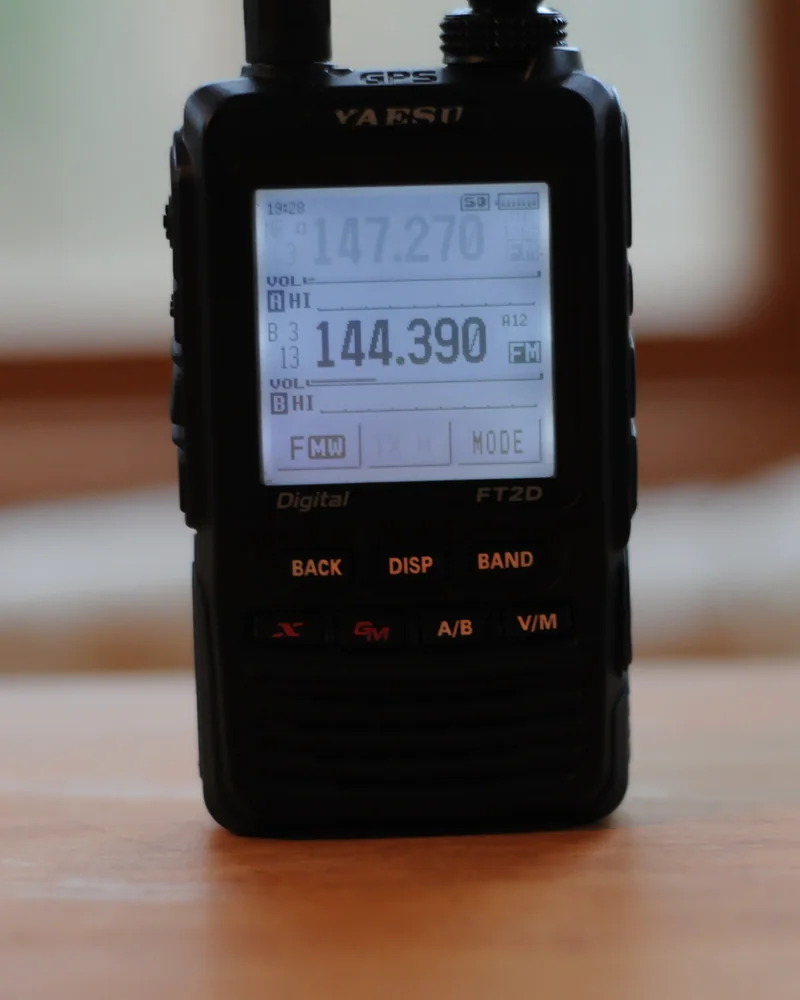
Yaesu FT2D dual‑band handheld transceiver with two frequencies on the display Yaesu FT2D handheld · photo by Wylie39, CC BY-SA 4.0, crop
Tuning step and 12.5 kHz

There are 437 repeaters on 2 m and 70 cm on the map. 142 of them, i.e. 32%, have an input or output frequency that you can’t set with a 25 kHz tuning step. On 70 cm that’s 100 out of 345. Set a 12.5 kHz step or a smaller step that divides evenly into 12.5 kHz, e.g. 6.25 or 2.5 kHz.

25 kHz and 12.5 kHz tuning steps on 70 cmOn the axis from 439.2625 to 439.3875 MHz the 25 kHz channels are 439.275, 439.300, 439.325, 439.350 and 439.375. Between them lie the 12.5 kHz channels, including 439.2875 (SR6LWS) and 439.3625 (SR6WB), which are inaccessible with a 25 kHz step.439.2625439.275439.2875439.300439.3125439.325439.3375439.350439.3625439.375439.3875SR6LWSSR6WBSR9UVRSR2GDA25 kHz stepadditionally with a 12.5 kHz stepMHz · repeater output (you’re listening)

← swipe sideways →

70 cm channel grid. With a 25 kHz step the radio jumps 439.350 → 439.375. SR6WB’s frequency (439.3625) lies exactly between them, and SR6LWS on Wielka Sowa (439.2875) between 439.275 and 439.300. You will only land on them with a 12.5 kHz step or a smaller step that divides evenly into 12.5 kHz, e.g. 6.25 kHz.

The tuning step is the interval by which the radio changes frequency with one click of the knob or arrow. It matters when you enter from the keypad or tune with the knob. With a 25 kHz step you won’t land on 439.3625 MHz using the knob. On many radios the step also limits keypad entry: the Baofeng UV‑5R, according to the manual, rounds an entered frequency down to the step. An error of 12.5 kHz is enough for the repeater not to hear you, and for you to hear it distorted or not at all.

In the IARU Region 1 band plan the 2 m and 70 cm repeater channels are spaced every 12.5 kHz. On 2 m the channels are numbered from V00 = 145.000 MHz upwards in 12.5 kHz steps, and the letter R denotes a repeater output, e.g. RV48 = 145.600 MHz. On 70 cm repeater outputs lie from 438.650 to 439.5875 MHz, also every 12.5 kHz and with a 7.6 MHz offset.

  • Entering manually: set a 12.5 kHz step (usually “STEP” in the menu). If the radio doesn’t have it, choose a smaller step that is a divisor of 12.5 kHz, e.g. 6.25 or 2.5 kHz.
  • Programming from a computer: check that the program’s table has the full value, e.g. 439.362500, not a rounded one. After uploading the channels, compare it with what the radio’s display shows. Radios handle step in memory channels differently: on the Baofeng UV‑5R and Kenwood TH‑D75 the step is set only in VFO mode, while on the Icom ID‑52 PLUS you can also set it in memory mode.
  • Test: the repeater card at the top of the page shows the required step and nearby repeaters to try, with 25 kHz and 12.5 kHz steps, on 2 m and 70 cm.
Range: you can hear it, it can’t hear you
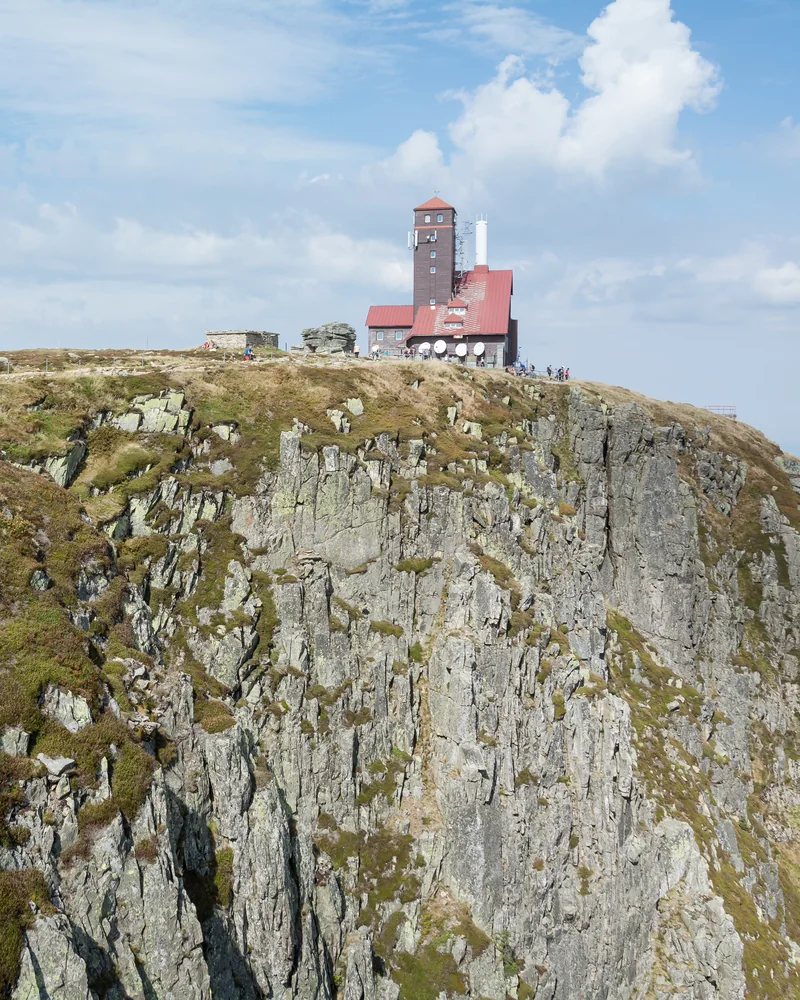
Śnieżne Kotły transmission centre building on the edge of a rocky cliff in the Karkonosze Śnieżne Kotły transmitter site on the edge of the cirque in the Karkonosze. From here the antenna has a long line of sight · photo by Jacek Halicki, CC BY-SA 4.0, crop

Why this happens

A repeater usually has its antenna high up: on a mast, summit or chimney, like SR5W “Wanda” on the Kawęczyn heating plant chimney. It transmits at around fifteen watts: in the UKE (the Polish Office of Electronic Communications) register, 347 of 388 2 m and 70 cm repeaters with a stated power are listed as 15 W. A handheld usually transmits a few watts, e.g. 5 W, from an antenna by your head, and in a building walls and floors attenuate the signal. At such close frequencies the path loss is similar both ways, so with other conditions similar, power makes the difference: a 5 W radio has about one third of the power of a 15 W repeater, i.e. about 4.8 dB lower. At the noise threshold that difference is enough for the repeater not to hear you, although you hear it well.

What helps

  • Location. Window, balcony, open space, higher floor. On VHF/UHF, a few metres higher or stepping out from behind a building makes a big difference.
  • Antenna. A better antenna and its placement often give more than simply increasing power: a longer antenna for a handheld or an external antenna. In a car, use a roof‑mounted antenna rather than the radio’s antenna in the cabin.
  • Power. Check the radio isn’t set to low power (L, LOW). As a test, increase the power; once it works, use the minimum necessary, as IARU recommends.
  • Another repeater. A nearer or higher‑sited repeater often opens without trouble. The nearest ones will be shown on the tab after clicking “Closest to me”.

Check reverse (REV)

The reverse function temporarily swaps the transmit and receive frequencies. You then listen on the repeater input, i.e. what others are transmitting. If you can hear the other station directly, you can move to a simplex channel and free up the repeater.

According to IARU recommendations, a solid line on a repeater coverage map denotes the area where at least 50% of the time a 10 W mobile station with a 5/8 λ antenna can make contact. A handheld with a short antenna does less well, so the map’s range is too optimistic for it.

You can calculate the range to a given repeater from your location, with terrain profile, in the antenna calculator (button “Repeaters”).

Table of radios and their pitfalls
Icom ID‑52E PLUS, IC‑9700

No auto in the E version

The Auto Repeater function, which automatically sets the shift and tone, is, per the manual, available only in the US version. In the European version you set the direction (DUP–) and shift (Offset Freq) yourself. In the ID‑52E PLUS the tone for the repeater is the separate item “Repeater Tone”, not “TSQL Freq”, and both default to 88.5 Hz. The menu item “Tone Burst” is not the 1750 Hz tone.

Kenwood TH‑D75E

5 MHz by default on 70 cm

According to the manual the default offset on 70 cm is 5 MHz in all versions. The Auto Offset feature in the E version covers only 145.600–145.799 MHz. On 70 cm you select the direction with the [F], [REV] buttons, and in the E version there is an “= (−7.6 MHz)” option. The default step on 430 MHz is 25 kHz, and it can only be changed in VFO mode.

Baofeng UV‑5R

25 kHz step and zero shift

By default the step (menu 1 STEP) is 25 kHz, and a frequency entered from the keypad is rounded down to the step. The shift (26 OFFSET) is 00.000, and the direction (25 SFT‑D) is off. The transmit tone is 13 T‑CTCS, not 11 R‑CTCS. In channel mode tone changes in the menu do not work, so set them in VFO mode before saving the channel.

RadioShift (direction, value)Transmit toneStep1750 Hz tone burst
Yaesu FT‑65E24 REPEATER: ARS (enabled by default), MODE −REP, SHIFT29 SQL TYPE = T‑TONE, tone in 8 CTCSS (TX and RX separately)30 STEP, factory default AUTOMONI/T.CALL (factory default on the E version)
Yaesu FT‑4XE29 RPT.ARS, 31 RPT.SFT, 30 RPT.FRQ36 SQL.TYP = T‑TONE, 38 TN FRQ (R and T separately)37 STEPMONI/T‑CALL (E version)
Yaesu FT5DECONFIG: 14 RPT ARS, 15 RPT SHIFT, 16 RPT SHIFT FREQSIGNALING: 11 SQL TYPE = TONE, 12 TONE SQL FREQ18 STEPMONI/T‑CALL (E version)
Icom ID‑52E PLUSQUICK › DUP: DUP–; MENU › SET › DUP/TONE › Offset FreqQUICK › TONE: TONE; tone in Repeater ToneQUICK › TSpress PTT briefly, release, then hold PTT
Icom IC‑9700DUP: DUP–TONE: TONE—while holding PTT, hold TONE (European versions)
Kenwood TH‑D75E[F], [REV]: direction, on 70 cm “= (−7.6 MHz)”; menu 140 shift[TONE]: Tone; [F], [TONE]: frequencyVFO only; 430 MHz factory default 25 kHz[CALL] (E version)
Baofeng UV‑5R25 SFT‑D: −; 26 OFFSET13 T‑CTCS1 STEP, factory default 25 kHzPTT + BAND (manual; in some versions a different key)
Quansheng UV‑K58 SFT‑D: SUB; 9 OFFSET7 T_CTCS2 STEPlong press side key 1
TYT TH‑9800#24 RPT.MOD: RPT.− (separate for left and right bands); #27 SHIFT; #2 ARS off by default#31 TONE M = ENC; #30 TONE F#28 STEP, factory default 12.5 kHzTCALL function assigned to a microphone key (tone selected in the program: check it’s 1750 Hz)
AnyTone AT‑D878UVAuto Repeater in VFO (offset set in the CPS program)TCDT (transmit), RCDT (receive)Freq StepPTT + PF1 (TBST; in the menu check that 1750 Hz is selected)

Menu names and numbers follow the manufacturers’ manuals (Yaesu, Icom, Kenwood, AnyTone, TYT) and the original UV‑5R manual. They may differ between firmware versions. On US‑market radios you often have to enable the 1750 Hz tone in the menu first. For the Yaesu FT‑65 the manual says that on 70 cm the shift depends on the radio version: 1.6, 7.6 or 5 MHz.

CHIRP: Tone, not TSQL

In CHIRP the “Tone Mode” column decides which tone the radio will send. “Tone” sends the tone from the Tone column and leaves receive as plain. “TSQL” sends the tone from the ToneSql column and also mutes receive until it hears the same tone. A common mistake: the tone entered in the ToneSql column but the mode set to Tone. The radio then won’t send a tone or will send the wrong one.

TYT TH‑9800 and CHIRP

In CHIRP bug report #4683 from 2017 (“legacy” version, still being confirmed in 2018) channels saved from CHIRP show a 7.60 MHz shift in the radio. It’s not known whether this applies to the current CHIRP version. If you then change the shift setting in the radio, it transmits on the wrong frequency. In a report with the same defect (#4857), only turning the radio off and on helped. Workaround from the report: create the channel in the radio or move it radio → CHIRP → radio, and don’t copy channels within CHIRP.

Digital repeaters: DMR, D‑STAR, C4FM

You can’t open a repeater that’s purely digital with an FM radio, even with the right tone. You need a radio with the same mode. Each mode also requires a few settings of its own.

DMR

Colour code, timeslot, talkgroup

A DMR channel is a frequency, colour code (CC), timeslot (TS1 or TS2) and talkgroup. If the colour code in your radio differs from the repeater’s, the repeater won’t accept your transmission. When you press PTT the radio waits for the repeater’s acknowledgement, and if it doesn’t get it, it stops transmitting. Codes vary: the KPGK network in Małopolska currently uses CC 9, so check the code for the specific repeater. For the BrandMeister network you need your own DMR ID from RadioID.net. Once your ID is issued, BrandMeister recommends waiting 2–5 minutes for synchronisation, and since July 2026 RadioID.net asks for yearly confirmation and deactivates IDs that aren’t confirmed.

D‑STAR

RPT1, RPT2 and registration

For a normal call you enter CQCQCQ in the UR field, and in RPT1 the repeater’s callsign padded with spaces so that the module letter is in the eighth position: B for 70 cm, C for 2 m, A for 23 cm. For internet linking enter the same callsign with letter G (gateway) in RPT2, and your callsign must be registered. In the G2/G3 gateway network a single registration on any of them is sufficient. More in the guide D‑STAR from scratch.

C4FM

DN mode and DG‑ID number

On Yaesu C4FM radios, e.g. FT‑70, the AMS function is enabled by default and matches the mode to the received signal. The basic digital mode is DN. Yaesu DR‑2X repeaters may require a DG‑ID number: set the transmit DG‑ID the same as the repeater input, and the receive DG‑ID to ‘00’ to hear everyone. You connect to a digital WIRES‑X node in C4FM mode, to an analogue one in FM, and the AUTO setting connects only to open nodes with DG‑ID ‘00’.

You’ll find a comparison of the three systems, with their pros and cons, in the article D‑STAR / C4FM / DMR.

Sources
  1. sq5cba.pl repeater map: the vhf.com.pl database and the UKE (the Polish Office of Electronic Communications) licence register (dane.gov.pl, dataset 1051) with manual corrections after reports; the statistics in the text are calculated automatically from this database · sq5cba.pl/przemienniki.html
  2. IARU Region 1: VHF Managers Handbook, ed. 10.03 (2 m and 70 cm band plans, channel designations, FM.1 and FM.2 recommendations for repeaters, CTCSS tone table) · iaru-r1.org
  3. GB3GD (Isle of Man): ‘The Great Deviation Debate’ — deviation and an overly loud 1750 Hz tone · qsl.net/gb3gd
  4. RSGB ETCC: ‘How to use repeaters’ · ukrepeater.net
  5. BTECH: “Why can’t I hit the repeater?” · baofengtech.com
  6. Krzysztof Dąbrowski OE1KDA: “DMR guide” (2016), Polish Radio Amateur’s Library · bpk.pzk.org.pl
  7. BrandMeister: account registration and DMR ID numbers; RadioID.net: annual ID verification · help.brandmeister.network · news.brandmeister.network
  8. D‑STAR: gateway network registration instructions · regist.dstargateway.org; Icom France: D‑STAR overview (UR, RPT1, RPT2) · icomfrance.com
  9. User manuals: Yaesu FT‑65R/E, FT‑4XR/XE, FT5DR/DE, FT‑70DR/DE, FTM‑200DR/DE (yaesu.com); Icom ID‑52E PLUS, ID‑52E, IC‑9700 (icomuk.co.uk); Kenwood TH‑D75E (kenwood.com); AnyTone AT‑D878UV (anytone.net); TYT TH‑9800 and Quansheng UV‑K5 (copies on rigreference.com); Baofeng UV‑5R (original manual and L. Lidberg’s write‑up, miklor.com)
  10. CHIRP: bug reports #4683 and #4857 (TYT TH‑9800) and description of the memory editor columns · chirpmyradio.com · CHIRP wiki
Photos

At the other end of your PTT

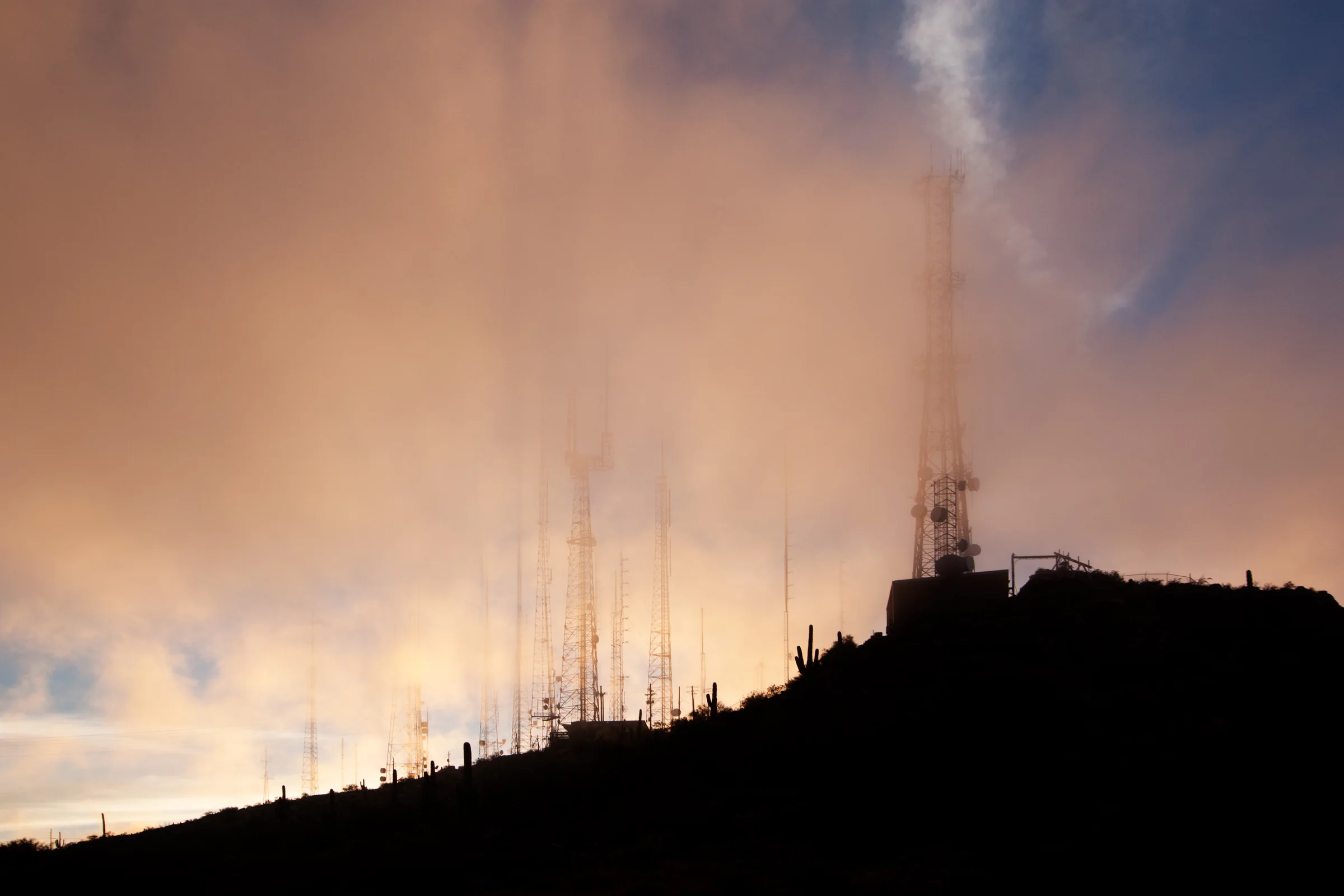
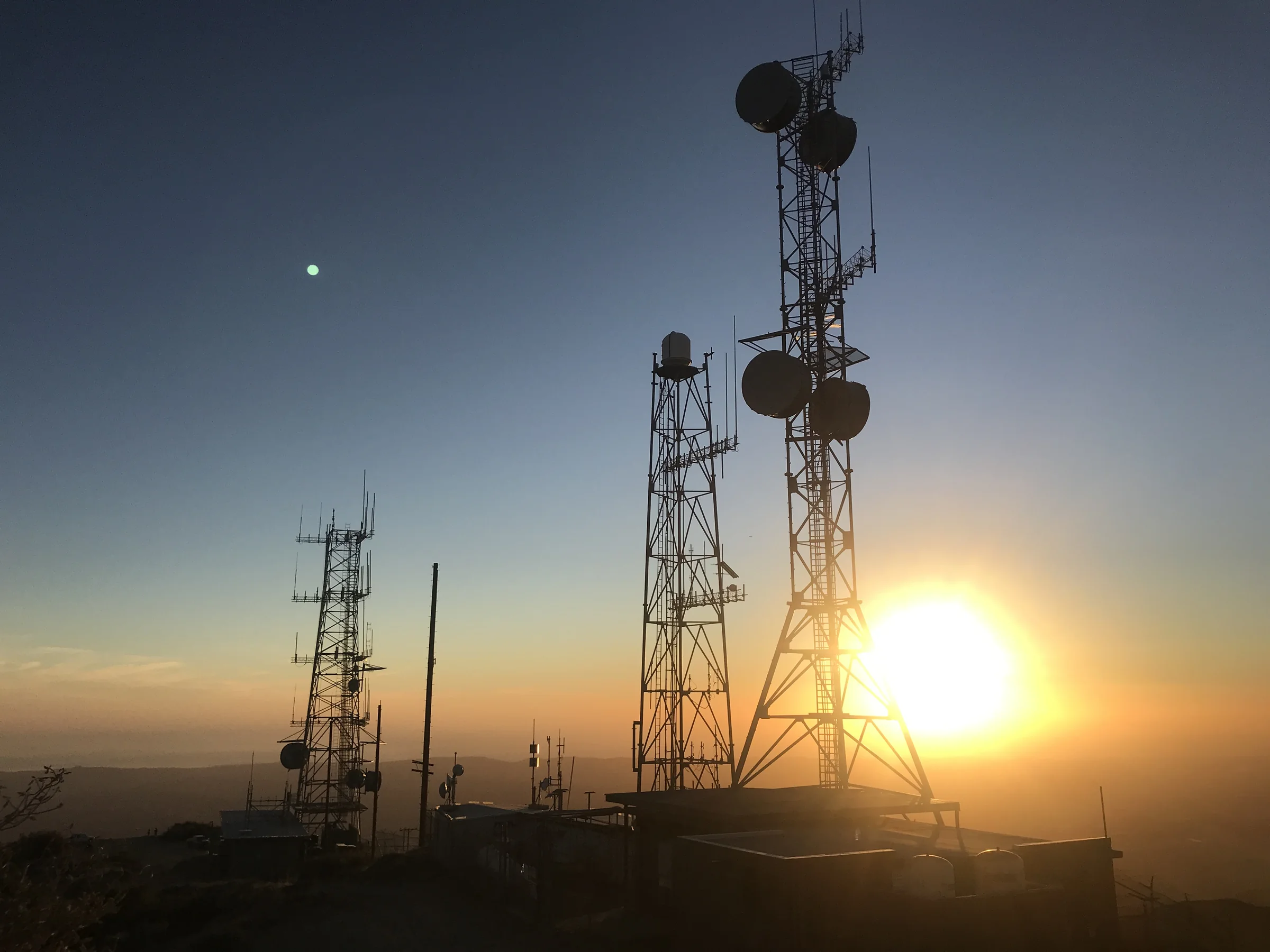
A forest of antenna masts on a mountain ridge, shrouded in golden cloud at sunset
Masts on a summit at sunset. South Mountain in Arizona · photo by Alan Stark, CC BY-SA 2.0, crop
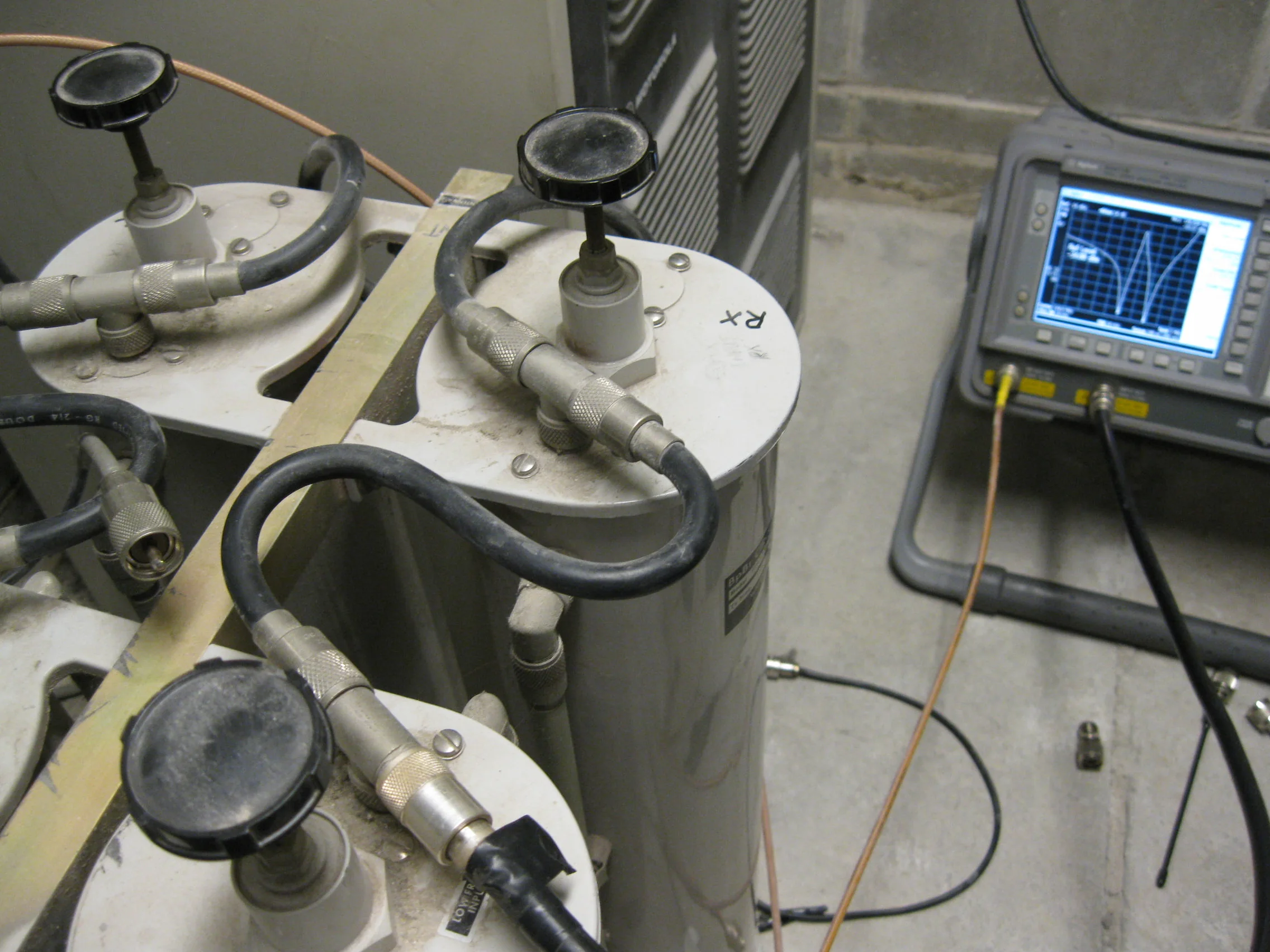
Resonant cavities of a repeater duplexer linked by cables, next to a spectrum analyser showing the resonance curve
Tuning a 2 m repeater duplexer. A duplexer lets a repeater listen and transmit on a single antenna at the same time. That’s why the input and output must be spaced apart · photo by Sterling Coffey, CC BY 2.0
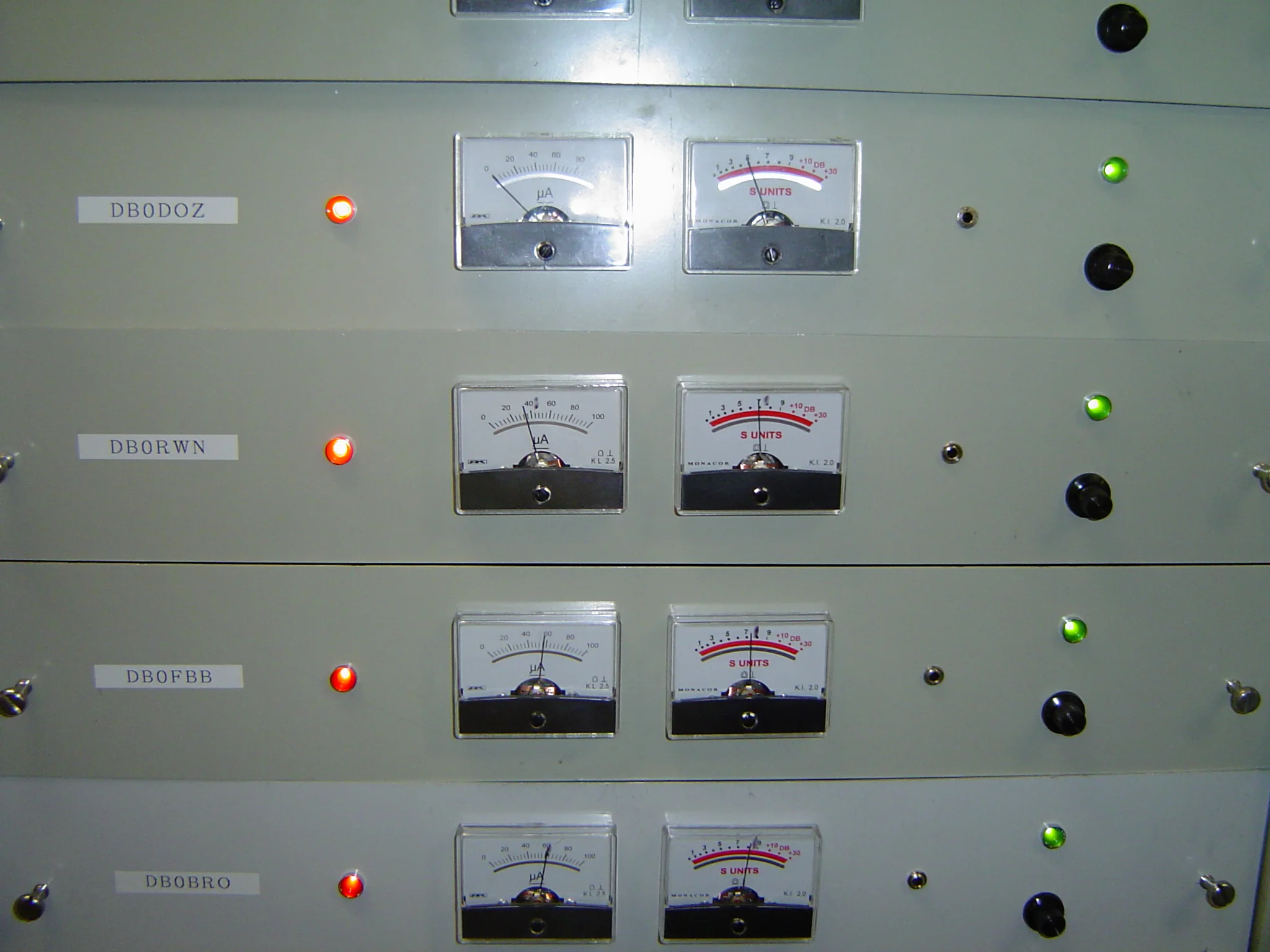
Repeater station cabinet with panels of four repeaters, moving‑coil meters and LEDs
Cabinet of a German repeater station. Panels of repeaters DB0DOZ, DB0RWN, DB0FBB and DB0BRO with S‑meters · photo by Axel Schwenke, CC BY-SA 2.0
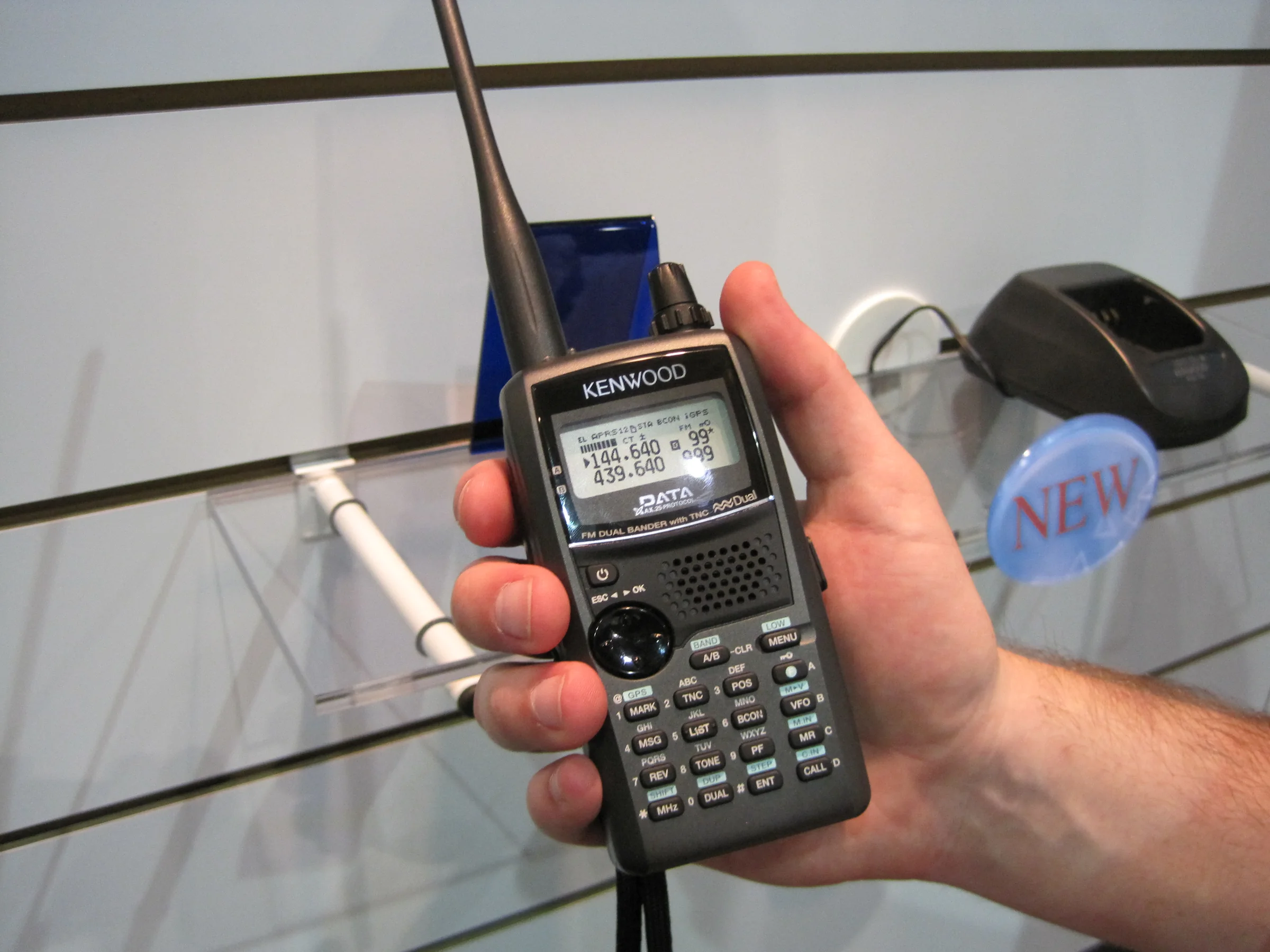
A hand holding a Kenwood TH‑D72 dual‑band handheld, with 2 m and 70 cm frequencies on the display
Dual‑band radio in hand. Kenwood TH‑D72 on 144 and 439 MHz · photo by Jeff Davis, CC BY 2.0
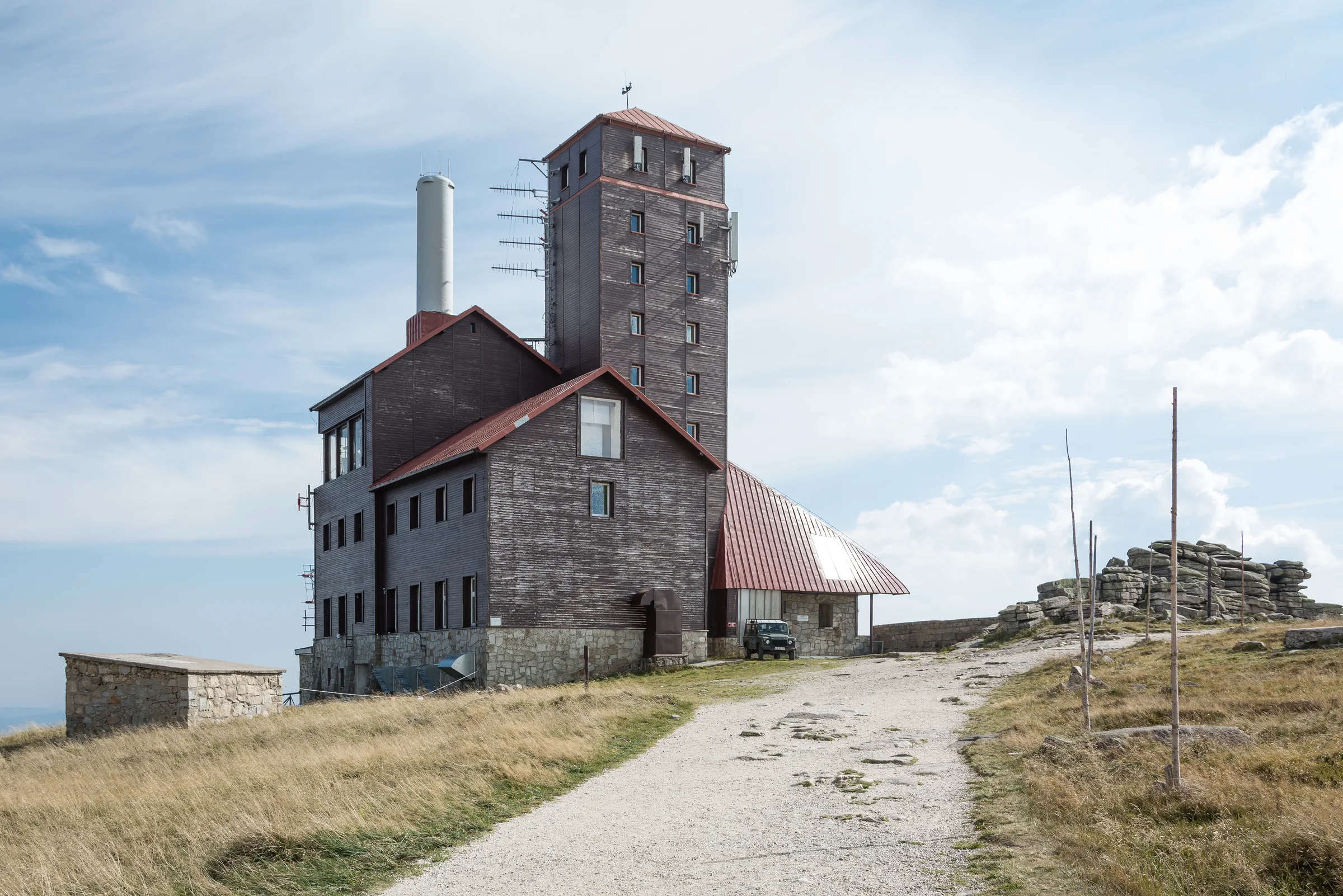
Wooden building and tower of the Śnieżne Kotły transmission centre, with antennas on the tower walls
Śnieżne Kotły up close. Transmission centre tower in the Karkonosze · photo by Jacek Halicki, CC BY-SA 4.0
Lattice masts with antennas on the summit of Santiago Peak in California under the setting sun
Mast‑topped summit at sunset. Santiago Peak in California · photo by Bluesnote, CC BY-SA 4.0
Still not working?

Write to me, I’ll help

Give the radio model, the repeater and what happens when you press PTT. If the repeater data on the map are out of date, report it with the ‘Report’ button on its card on the map.