Home  /  FM Poland

Guide · FM network

FM Poland

Plain analogue FM, a normal repeater, ordinary “handhelds” for 200 PLN — only now they’re tied together over the internet into one nationwide network. No codec, no ID registration, no buying a new radio. Below: how it works, what the 260xx groups are, which DTMF codes you need to know, where to listen to it in Mazowsze and how to build your own hotspot.

analogue FM · no digital SVXLink + PL reflector ~60 automatic stations 260xx groups
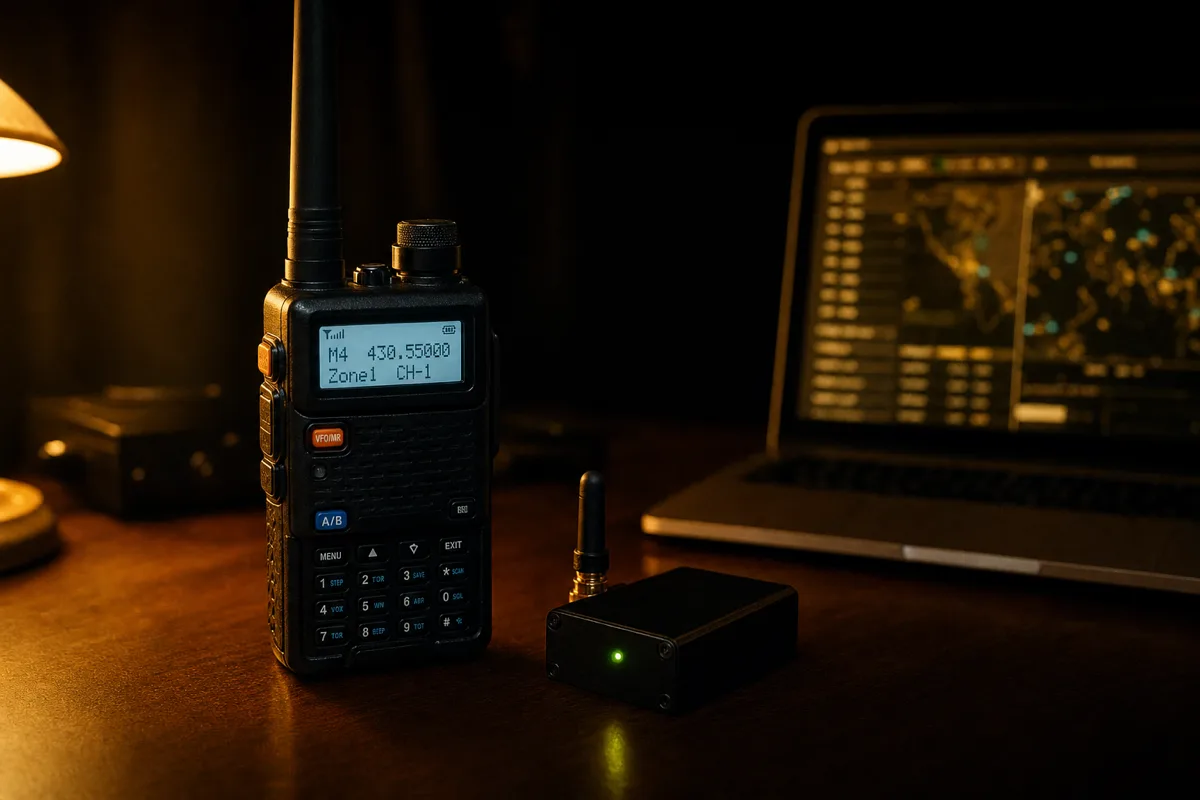
A UHF handheld on a desk next to a tiny FM hotspot with an SMA antenna, with a laptop in the background showing the network dashboard
handheld + hotspot · the whole network fits on your desk
Basics

What is FM Poland

A network that doesn’t change anything in your radio — it changes what happens behind the repeater.

The internet bolted onto the repeater

FM Poland is a nationwide network linking analogue FM repeaters and small home hotspots over the internet. At its heart is SVXLink — an open repeater controller written by radio amateurs — and a central server, the reflector, which routes traffic between all nodes.

Nothing changes on your end: you transmit plain FM with a CTCSS tone on a normal repeater. The difference is that the repeater has a small computer attached (most often a Raspberry Pi or Orange Pi) that sends the same signal in parallel to the reflector — and the reflector distributes it further to all nodes listening to the same talk group.

  • No digital — no codec, AMBE, DMR ID registration or callsign in the D-STAR database
  • No new kit — any FM radio with a CTCSS tone and a DTMF keypad will do
  • No propagation needed — Warsaw hears Lublin regardless of what the ionosphere is doing
  • No fees — the network is funded by voluntary user contributions

The project started in 2020/2021 on the initiative of Waldek SP2ONG (together with SP1ARE, SP5NAF, SP7LAK and SQ9GIN). Its prototype was the earlier FM Kujawiak (2016–2018), which linked the repeaters in Bydgoszcz, Brodnica, Toruń and Włocławek. Today the network has around 60 automatic stations and nearly 300 registered users (organisers’ data as of 13.07.2024).
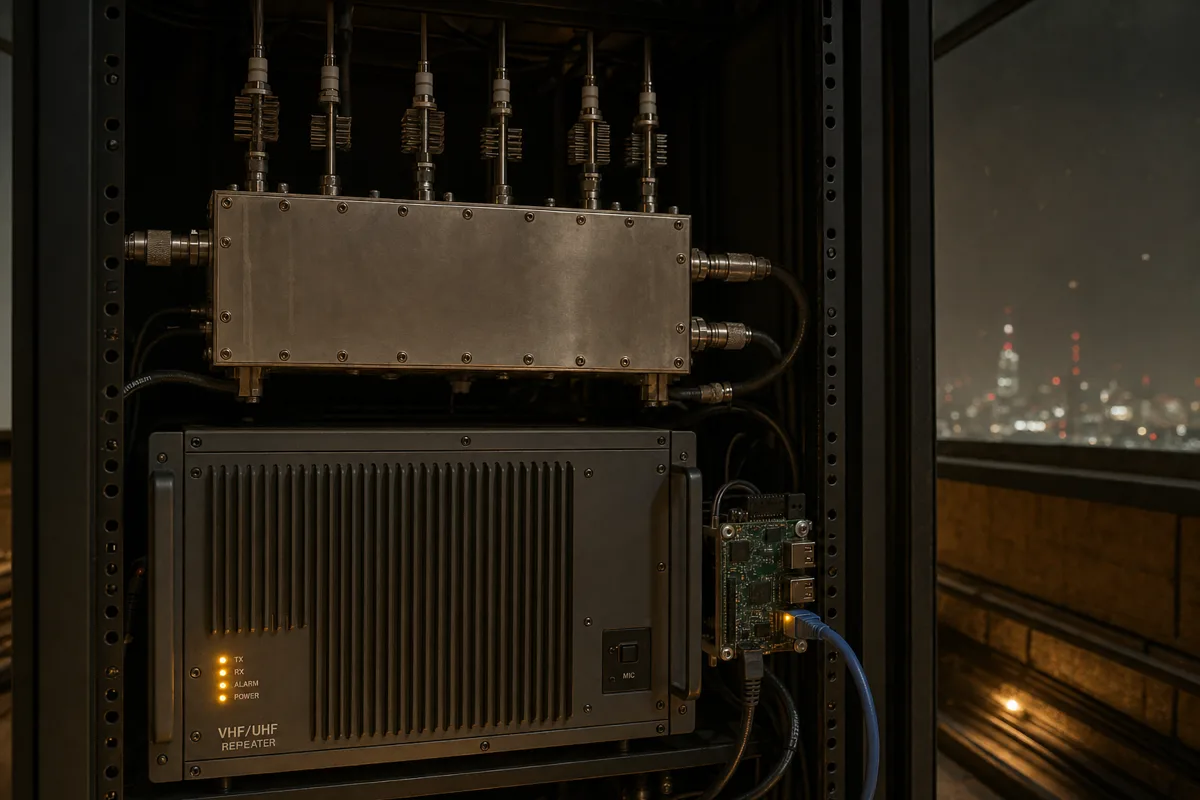
A UHF repeater in a 19-inch rack: a cavity duplexer, transmitter and a small single-board computer with an Ethernet cable duplexer, repeater and Raspberry Pi in one cabinet
Difference

Why this isn’t ordinary linking

Older ways of tying repeaters together had one flaw: everyone heard everyone else, all the time. FM Poland solves that with groups.

01

The repeater stays local

By default SR5RR is still a Warsaw repeater, not a loudspeaker for the whole of Poland. Traffic from the network only comes in when someone activates a group that this repeater monitors.

02

Several conversations at once

On one reflector you can have a nationwide QSO, a Mazowsze regional chat and an echo test all running at the same time — because each sits on a different talk group and nobody talks over anyone else.

03

You decide where you’re heard

With a single DTMF code you move your transmission from the local group to the national one, to Europe, or straight to a mate in Chicago. After a minute of silence everything falls back to the default state.

Signal path

What happens after pressing PTT

From your aerial to your mate’s speaker at the other end of the country — six steps and one server in the middle.

Your radio FM + CTCSS + DTMF air Repeater SR5RR · 439.275 + SVXLink on RPi DEFAULT_TG / MONITOR_TGS internet Reflector FM Poland routes traffic by group number 3 backup servers SR5MM Mińsk Maz. SR8LW Łuków hotspot at a mate’s home talk group, e.g. TG 26050 only nodes set to the same group hear each other
The same transmission goes two ways at once: over the air locally and over the internet to everyone listening on the selected group.
!

The most important rule: a group is only active for a short while. After the last transmission SVXLink usually counts down 30 or 60 seconds (the TG_SELECT_TIMEOUT parameter), signals the end with a three‑tone sound and returns to the default group. If you want to continue the QSO after a longer pause — you need to select the group again.

The heart of the system

Talk groups — numbering

A group number isn’t random. Read it like an area code: the longer it is, the narrower the coverage of the conversation.

ScopeWhat it means
0 – 100special uses — local weather bots, echoes, repeater tests
100 – 200non-location-specific QSOs — QO-100 satellite, ISS and similar
91worldwide group
112emergency communications, EmCom — usually has the highest priority on every node
200 / 300 / 400 / 500 / 600 / 700continents: Europe, North America, Asia, Oceania, Africa, South America
2xx, 3xx, …countries, following the continent numbering (230 Czechia, 235 United Kingdom, 255 Ukraine, 262 Germany, 310 USA)
260Poland — nationwide calling and AUTO‑QSY
2600national ragchew (plus 260001…260010 as overflow rooms)
2600xxspecial‑purpose groups, assigned individually
260xregions, historically by call areas: 2605 is the SP5 region
260xxsubregional groups — at least two repeaters, e.g. 26050 Mazowsze
260xxysingle repeater within a subregional group, e.g. 260500 SR5RR
260x9ysingle repeater outside a subregional group, e.g. 260592
·−

In FM Poland the groups are operational, not topical — you won’t find “a group about antennas” or “a Raspberry Pi group” here. Regional and subregional numbers are assigned by the network team; groups for single repeaters form automatically.

Cheat sheet

Groups worth keeping to hand

TGNameWhen to use
260Nationwidegeneral call — call here when you’re looking for anyone in the country
2600PL ragchewa QSO that’s running long — move it here from the calling group
26050Mazowszesubregional group linking Warsaw and surrounding repeaters
2605SP5 regionall of SP5 when Mazowsze is too local
112Emergency communicationsfor emergencies only — the highest-priority group
26002EchoLink networka bridge to the EchoLink world
26001AllStarLink networka bridge to AllStarLink
26005PolStar networka bridge to the Polish PolStar network
260019Mobilefor those on the move — hear each other car-to-car on the road
260055Activationsportable operations, castles, parks, summits
260059Contestscoordination during contests
91Worldwidewhen you want to call outside Poland
200EuropeEuropean traffic
999Testschecking your modulation without occupying operational groups
9990Echo testnetwork echo — records and plays back your transmission
2605 SP5 region 26050 Mazowsze subregion 260500 single repeater the longer the number, the narrower the area
Where to listen

FM Poland in Mazowsze

The 26050 Mazowsze group ties together a dozen or so repeaters. Below are those you can realistically hear from Warsaw and the surrounding area — frequencies from my repeater database, group numbers from the FM Poland list.

CallsignTX (you listen)RX (you transmit)CTCSSTGLocation
SR5RR439.2750431.6750127.3260500Warsaw – Mokotów, 60 m a.g.l., MTR2000, 15 W
SR5GM439.2250431.6250127.3260509Grodzisk Mazowiecki, SP5PMU club, 35 m a.g.l., 15 W
SR5MM438.9500431.3500—260503Mińsk Mazowiecki, MTR2000, 15 W
SR5RAD145.7875145.1875118.8260507Radom, Emitel site ~80 m a.g.l., 2 m band
SR5S145.6125145.0125—260505Siedlce, Vertex VXR-7000, 2 m band
SR5Esee repeater database—260504Warsaw – Ochota
SR5AWKsee repeater database—260506Warsaw
SR5POTsee repeater database—260508Warsaw
SR5PLsee repeater database—260501Płock
SR0DZsee repeater database—260521Serock — subregion 26052 Jezioro Zegrzyńskie
SR0CKsee repeater database—260522Serock — subregion 26052
SR5OSsee repeater database—260511Ostrołęka — subregion 26051 Kurpie
?

How do you know if a repeater is on the network today? The live network dashboard shows the status of all nodes — dashboard.fm-poland.pl. You can see who is transmitting right now and on which group. The network roster changes month to month, so treat the table above as a starting point, not gospel.

Network remote control

DTMF codes

Everything is controlled from the radio’s keypad. Enter the code while holding PTT, slowly and clearly — the repeater will confirm it with a voice prompt or a tone.

CodeWhat it does
9*#tell me which group I’m on now
91TG#select the group with number TG — basic code, e.g. 9126050# is Mazowsze
910#clear the active group (none selected)
91#return to the previously used group
92#QSY — move all active nodes to the group indicated by the server
92TG#move all active nodes to group TG (this is how you “take” the conversation off the calling group for a ragchew)
93#follow the last QSY
94TG#additionally monitor group TG for the next hour (duration set by the node keeper)
Bonus

Local services

These codes don’t go into the network — they’re handled locally by SVXLink. The set depends on the repeater keeper, so you won’t find everything everywhere.

CodeFunction
*#SVXLink identification
0#voice help
1#local echo — records and plays back your modulation; exit with #
2#EchoLink module; connect: no.#, exit: #
3# / 30#hotspot IP address (NetInfo module)
CodeInformation
53#METAR Warsaw Okęcie
54#METAR Warsaw Modlin
51# … 514#METAR for other airports (51 Bydgoszcz, 52 Olsztyn, 55 Kraków, 56 Łódź, 59 Gdańsk…)
60#current weather from OpenWeatherMap
61#weather alerts
62#HF and VHF/UHF propagation conditions
63#forest fire risk (in season)
64#river level from a selected gauge
D

Don’t have a D key? DTMF macros shorten group dialling to D50# instead of 9126050#. The “D” key may be hidden: on Baofeng UV-5R it’s EXIT, on the GD-77 with OpenGD77 the “>” arrow, on the MD-9600 SK1 + down arrow, on the Yaesu FT-70 the AMS button. The macro set is defined by the repeater keeper.

Practice

Your first QSO step by step

You don’t need to register anywhere just to have a chat via a repeater on the network. All you need is a valid UKE radio licence and a radio.

1

Program the repeater like any other

Listen on the repeater’s TX frequency, transmit with the proper offset, CTCSS subtone on transmit. Nothing special — it’s a normal FM channel.

SR5RR: RX 439.2750 · TX 431.6750 · CTCSS 127.3 Hz
2

Listen before you key up

A minute’s listening will tell you whether there’s a network QSO in progress or the repeater is sitting on its local group. Dropping into the middle of a QSO from Lublin sounds just as bad as dropping into a local one.

3

Check where you are

Dial 9*#. The repeater will say which group is active. If none — you’re only local and the network can’t hear you.

9*# → “talk group 26050”
4

Select a group

Want to call nationwide — go to 260. Want to chat with Mazowsze — 26050. Key the code with PTT held, then release to stop transmitting.

91260# · 9126050#
5

Call — and pause after PTT

“This is SQ5CBA, general call on the FM Poland network.” After pressing PTT wait half a second before your first word: the signal has to traverse all the nodes, and each adds a bit of delay. Without that pause the network will eat your callsign.

6

Get off the calling group

Once you’ve made contact, move off 260 for a ragchew. The code 922600# moves all nodes involved in the QSO to TG 2600 — leaving the calling group free for others.

922600#
7

Leave the repeater as you found it

After the QSO the group will time out by itself after 30–60 seconds anyway. If you want to speed up the return to the default state — 910#.

·

Before you start experimenting with your audio — use local echo (1#) and groups TG 999 and TG 9990 for that. Testing on the nationwide group is the quickest way to get to know everyone on the network, but not in a good way.

Your own node

Hotspot — a repeater on your desk

No FM Poland repeater in range? Build a micro‑repeater with the range of a flat and join the network from your armchair with a handheld.

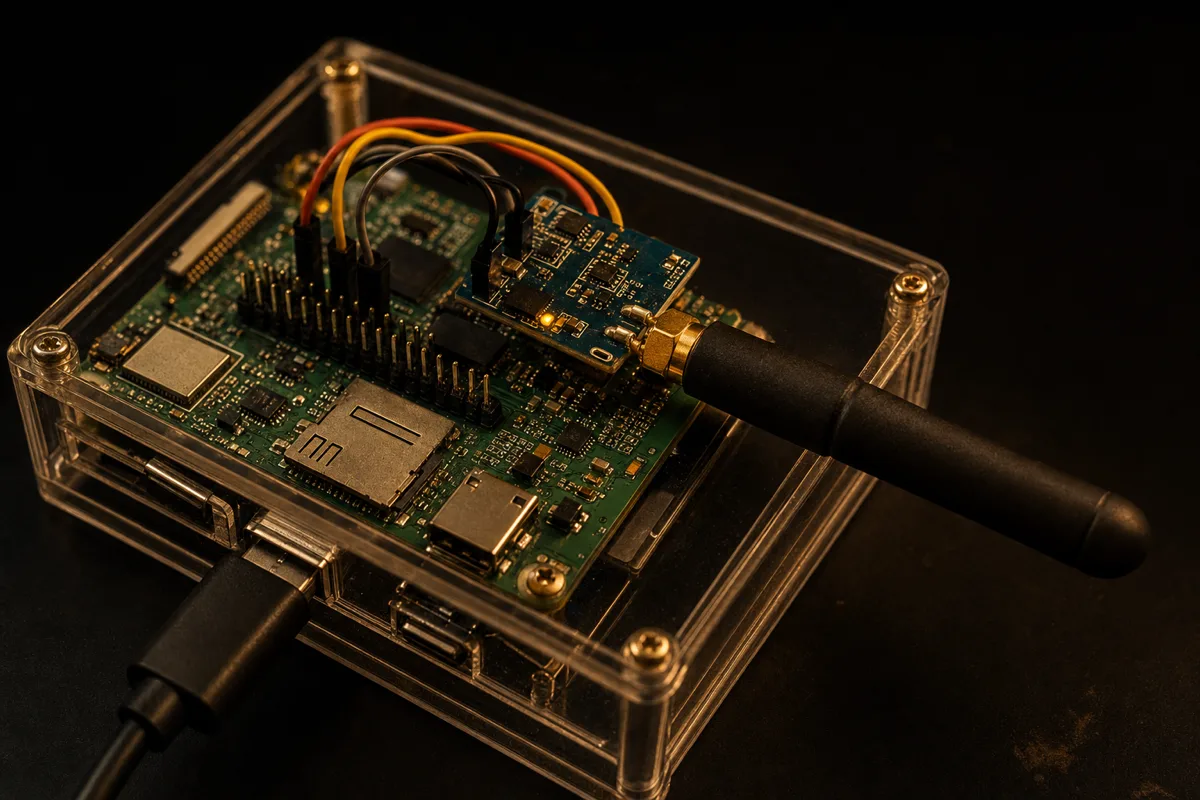
Home FM hotspot: a single-board computer with a soldered-on transceiver module and an SMA antenna in a transparent case little computer + radio module + little antenna

What it’s made of

An FM hotspot is nothing more than a small Linux computer, an FM transceiver module and an antenna. The whole thing fits in a box the size of a packet of cigarettes and eats a few watts.

  • Computer — Orange Pi Zero or Raspberry Pi; the Orange Pi Zero is the network’s favourite because it’s cheap and compact
  • Radio — an SA818 or DRA818 module, i.e. a complete FM transceiver on a board for a few dozen PLN
  • Sound card — for simpler builds a plain CM108 dongle
  • Antenna — a rubber‑duck SMA is perfectly adequate; the hotspot should cover metres, not kilometres
  • Software — SVXLink, usually with a ready‑to‑go image and a browser dashboard

Any “Chinese” radio will do for talking via a hotspot — you’ll see Quansheng UV-K5 and UV-K6, Baofeng BF-888 or R1-2020 on the network. The radio only has to reach across the room to the module.

One setting that makes a difference

On a personal hotspot set the default group to zero:

DEFAULT_TG=0
MONITOR_TGS=112+++,260,2600,26050+

With DEFAULT_TG=0 anything the hotspot hears “just like that” — your DTMF codes, accidental keying, a neighbour on the same frequency — does not go to the network. You still hear the groups from MONITOR_TGS; to start transmitting on one, select it with 91TG#.

Formalities

When registration is needed

This is the most common misunderstanding around the network. Let’s separate two things.

You just want to talk

You don’t register

Using a repeater that’s on FM Poland doesn’t require any registration. A valid UKE (the Polish Office of Electronic Communications) radio licence is enough — exactly the same as on any other repeater in the country.

You want to connect your own node

You fill in an application

A hotspot, a public simplex node or a repeater has to be registered — it gets its own callsign in the network and an assigned group. Verification is done by the network team, in their free time and after hours.

In the formWhat you provide
Node typeprivate hotspot or repeater / public hotspot
Callsignin capitals — the callsign identifies the device, not the operator
Suffixhotspots: N1…N9, EL; repeaters: UHF, VHF, L-VHF, HF, EL, GW
Group typeindividual (‘nine’) or regional, e.g. 26050 Mazowsze
SYSOP’s callsignnode keeper, optionally a second one
Scan of the UKE radio licencea photo or scan; sensitive data may be redacted; the file is deleted after verification
Nomenclature

How to read callsigns in the network

CALLSIGN
personal, home hotspot — simply your callsign
CALLSIGN-EL
CALLSIGN-GW
a link without an RF port, e.g. a hop to EchoLink
SRxxx
a repeater or a public simplex node — requires a category 5 licence
TGxxx
InterLink with the FM Germany server for selected groups
§

The keeper of a public hotspot is responsible for all traffic that enters the network via that hotspot. The network has also stopped assigning callsigns with the -ND suffix and encourages obtaining normal licences for automatic stations — including for simplex nodes.

Etiquette

Rules that are really enforced

The network stands on the Radio Amateur’s Code and on the fact that nobody gets paid here. A few things are, however, written down explicitly.

A valid licenceUKE, no exceptions Any radio amateur with a valid radio licence issued by UKE may use the network. SWLs — listening only.
Echo tests1# · TG 999 · TG 9990 All checks of modulation, deviation and “can you hear me” are done on the local echo or on the test groups. Not on 260.
Calibrated audioneither too quiet nor too loud In the network your signal comes out of other people’s speakers across the country. It’s worth heeding feedback and fixing your levels — it’s the one thing users most often comment on.
Equipment to good engineering standardsespecially nodes A transmitter that oscillates or drags noise into the network is everyone’s problem. If your setup is prone to oscillation, group 0 is recommended as the default.
Patience with the administratorsthis is a hobby, not a service Requests are handled “as fast as possible — not faster”. The network runs on voluntary donations and the free time of a handful of people.
Persistent interferenceends with a block The network team may cut a station off from the reflector. It also happens that keepers disable nice SVXLink modules because someone was abusing them.
As a fallback

Access the network without a radio

Sometimes the hotspot was left at home and you can’t transmit. You can also link to the reflector from a computer.

Linkify and mobile apps

Linkify is a Windows client for SVXLink reflectors, written by Adrian SQ8AM. It lets you talk on groups over the internet using your computer’s microphone and speakers: quick group switching, keyboard PTT, connection profiles. The programme can be downloaded from the author’s site — linkify.sq8am.pl.

On phones the same job is done by Latry, QSOLink and HamLink. Do remember what this is all about: an app is a crutch for when you can’t transmit. The FM Poland network was created to bring the airwaves to life, not to replace them with a messenger.

Live views

  • dashboard.fm-poland.pl — who is transmitting now, on which group and from which node
  • fm-poland.pl/mapa — a map of automatic stations working on the network
  • fm-poland.pl/aktualne-grupy — complete, up-to-date list of groups, including international groups
A handheld on a car dashboard; in the background a road at sunset and a lattice mast TG 260019 — mobile group, for those on the road
When it doesn’t work

Common pitfalls

No one repliesand the repeater opens Most likely you haven’t selected a group or it has timed out. Check 9*# and select the group again — just opening the repeater doesn’t mean you’re on the network.
Clipped start of a sentence“...Q5CBA, calling…” A classic. The signal has to pass through a node, a reflector and the destination node. Half a second’s pause between PTT and your first word cures it once and for all.
DTMF code doesn’t workthe repeater stays quiet Key them in more slowly with PTT held. Some radios send DTMF too briefly — lengthen the tone duration in the settings. Also check whether the keeper even makes that module available.
Conversation suddenly disappearsafter three tones That three-tone signal marks the end of TG_SELECT_TIMEOUT. The group has expired and the node has returned to the default. Select the group again.
You can hear other people’s key-upsand automation Someone on the network has a misconfigured node — most often a roger beep or no MUTE_LOGIC_LINKING=1 with EchoLink. It’s worth writing politely to the keeper, not commenting on air.
Hotspot doesn’t connectafter a restart Check the HOSTS list — since 2026 the network has backup reflectors and it’s worth having all three entered. Code 30# will tell you the hotspot’s IP address.
Cheat sheet

Mini-glossary

SVXLink
open repeater and node controller — the engine of the whole network
Reflector
a server that distributes traffic between nodes by group number
Node / węzeł
any point in the network: a repeater, hotspot or gateway
TG
talk group, grupa rozmowna — the address for a conversation on the network
DEFAULT_TG
the group the node sits on when nothing is selected
MONITOR_TGS
a list of groups the node listens to in the background
QSY (92#)
move the whole conversation to another group
Hotspot
a micro-repeater with coverage for a flat, an entry point to the network from home
Subregion
a group tying together several neighbouring repeaters, e.g. 26050
InterLink
a bridge to a foreign server, e.g. FM Germany
CTCSS
CTCSS access tone to open the repeater — mandatory on this network
EmCom
emergency communications; in FM Poland that’s TG 112 with the highest priority
Next step

See what’s on the air at your QTH

Before you program the radio, it’s worth checking which repeaters actually reach your QTH — and whether, instead of the analogue network, you have something digital right under your nose.