
01
Affordable kit
A dual‑band handheld costs about the same as a budget smartphone — and covers both bands at once.
Home / 2 m and 70 cm guide
These are the two most popular bands to start out on in amateur radio. A cheap dual‑band handheld, a network of repeaters and active local communities mean this is where you’ll make your first contacts. Below is a practical guide: frequencies, repeaters, modes, propagation, gear and your first QSO.
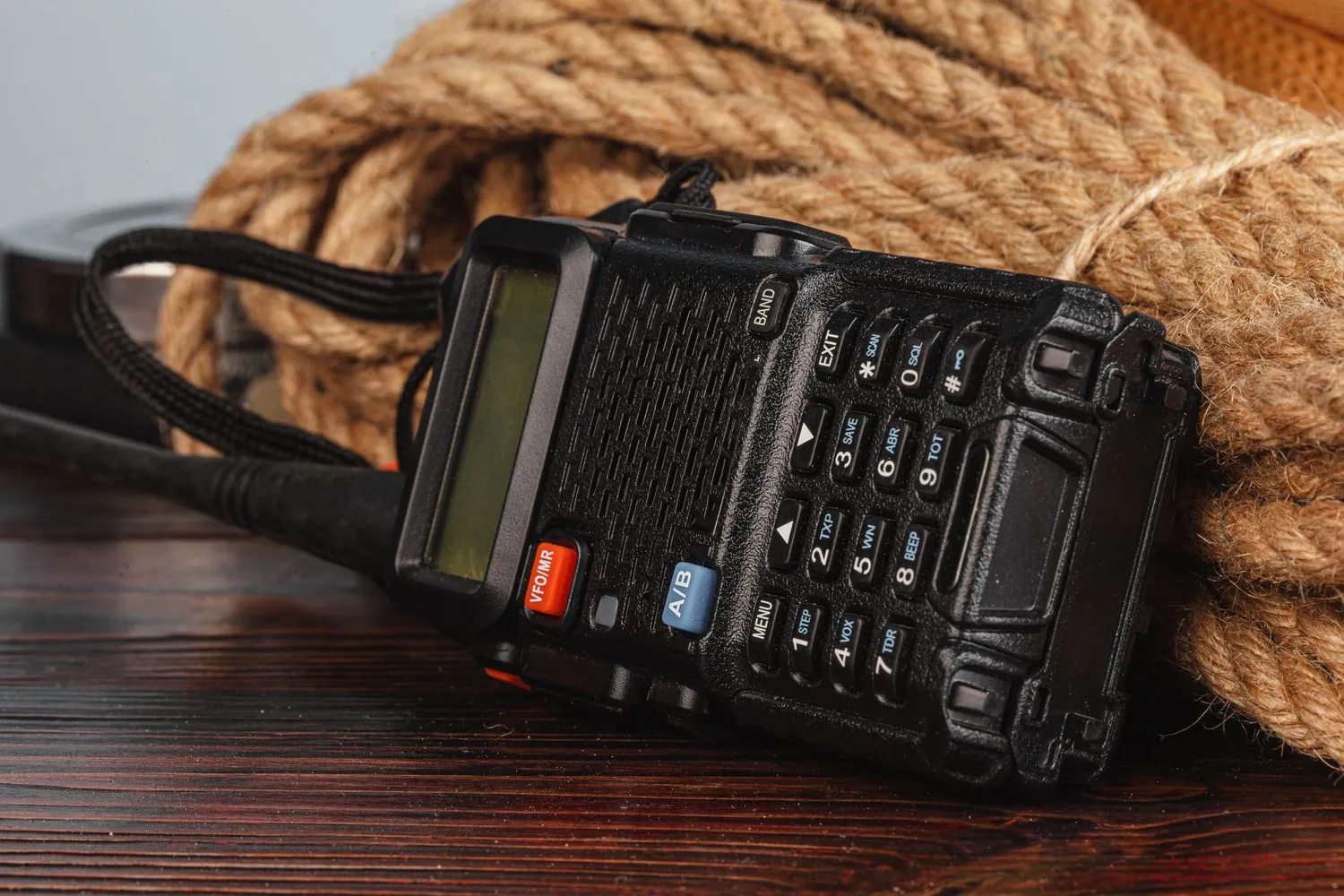
VHF and UHF are the easiest way on the air — low cost, quick results and people you’ll hear from day one.
A dual‑band handheld costs about the same as a budget smartphone — and covers both bands at once.
Repeaters on high sites let you cover tens of kilometres with 5 W from a handheld.
Local clubs, nets and daily QSOs. There’s always someone to chat to — and to help you get started.
Operating from a car, a rucksack, a hilltop or a balcony — VHF/UHF are ideal for portable operating.
2 m carries further in open country, 70 cm works better in built‑up areas. Best to have both.
The ‘king’ of local and regional contacts. Signals get around obstacles better and give greater range in open terrain. In summer there are Sporadic-E openings over long distances.
| Frequency | Use |
|---|---|
| 144.050 | CW (telegraphy) — calling |
| 144.174 | FT8 (digital mode) |
| 144.300 | SSB — calling frequency |
| 144.800 | APRS (packet / position) |
| 145.500 | FM — calling channel (S20) |
| 145.200–145.575 | FM simplex (working channels) |
| 145.600–145.800 | Repeater outputs · offset −600 kHz |
Shorter wavelengths penetrate buildings better, antennas are smaller and more convenient. Plenty of repeaters, including digital (DMR, C4FM, D-STAR). Great for operating in the city.
| Frequency | Use |
|---|---|
| 432.050 | CW (telegraphy) — calling |
| 432.200 | SSB — centre of activity |
| 433.400–433.575 | FM simplex (working channels) |
| 433.500 | FM — calling channel |
| 438.xxx | Repeater outputs · offset −7.6 MHz |
| ≈439 | Digital repeaters (DMR / C4FM / D‑STAR) |
Remember: these are indicative reference points from the IARU Region 1 band plan. Always check the exact allocations, repeater channels and access tones in the current band plan of the Polish Amateur Radio Union (PZK) and in local repeater listings. To transmit you need an operator’s certificate and a radio licence (exam at UKE — the Polish Office of Electronic Communications) — listening is open to everyone.
A repeater is a station on a high site that receives your signal and immediately retransmits it at high power — letting two handhelds “see” each other from tens of kilometres away.
Keep your call short: give your callsign and wait. The radio takes care of the technicalities — you look after operating etiquette and pauses between overs (repeaters have a “timeout” that cuts off transmissions that are too long).
Getting into a repeater: don’t say “test test” — give your callsign. For example: “SQ5CBA listening” or “SQ5CBA, anyone for a QSO?”. Leave a short pause after releasing PTT so others can break in.
A repeater receives on its input and retransmits on its output from a high structure — with 5 W from a handheld you can cover the whole conurbation. On your radio you set the output frequency (that’s the one you listen on), and the radio adds the shift and CTCSS tone on transmit.
| Callsign | You listen (output) | You transmit (input) | Shift | CTCSS | Mode | Location |
|---|---|---|---|---|---|---|
| SR5W | 145.750 MHz | 145.150 MHz | −600 kHz | 127.3 Hz | FM | Kawęczyn CHP plant chimney |
| SR5WA | 439.350 MHz | 431.750 MHz | −7.6 MHz | 127.3 Hz | FM | Kawęczyn CHP plant chimney |
| SR5WAD | 438.3375 MHz | 430.7375 MHz | −7.6 MHz | — (digital) | DMR · BrandMeister | Kawęczyn CHP plant chimney |
| SR5RR | 439.275 MHz | 431.675 MHz | −7.6 MHz | 127.3 Hz | FM · EchoLink / FM-Poland | Warsaw-Mokotów, Iberyjska Street |
| SR5E | 439.375 MHz | 431.775 MHz | −7.6 MHz | 127.3 Hz | FM | Warsaw-Ochota |
Repeater “Wanda” (SR5W) is the first choice on 2 m in Warsaw: program your radio with 145.750, shift −600 kHz and transmit tone CTCSS 127.3 Hz (feature “Tone” / T-CTCSS — tone on transmit only). The antenna is more than 300 m above ground, so it’s heard well beyond the city. It is maintained by the club SP5KAB.
Repeater status can change — before a longer trip, check for up-to-date information in the databases: przemienniki.net, przemienniki.eu or from the operator: sp5kab.pl.
You transmit and receive on the same frequency, with no intermediary. Shorter range, but full independence. Operating practice: call on the calling channel (145.500 / 433.500); once you’ve made contact, move to a working channel and free the calling channel for others.
Greater range thanks to a high mast and the repeater’s power — even from a handheld in a valley or from a moving car. It’s a shared resource, so keep QSOs concise, and move longer chats to simplex.
Simplex is direct communication, without a repeater — both stations transmit and receive on the same frequency. Channels are spaced every 12.5 kHz. Before you start transmitting, listen for a moment to check the channel is clear.
| Frequency | Channel | Notes |
|---|---|---|
| 145.225 MHz | S9 | usually clear — good for a sked |
| 145.250 MHz | S10 | in many cities local “nets” run here — regular on-air meet-ups |
| 145.275 MHz | S11 | usually clear; a good place for a longer chat |
| 145.2875 MHz | — | internet gateway channel — don’t use for chats |
| 145.300 MHz | S12 | working channel; often active in contests and field operations |
| 145.325 MHz | S13 | working channel, usually quiet |
| 145.3375 MHz | — | second internet gateway channel — avoid |
| 145.350 MHz | S14 | a proposed “our” frequency for regular QSOs — usually clear |
| 145.375 MHz | S15 | calling channel for digital voice (C4FM/D-STAR/DMR simplex) — best avoided on FM |
| 145.400 MHz | S16 | mid-band, usually clear |
| 145.425 MHz | S17 | working channel, rarely occupied |
| 145.450 MHz | S18 | working channel, rarely occupied |
| 145.475 MHz | S19 | last channel before the calling channel |
| 145.500 MHz | S20 | FM calling channel — call here; after making a QSO, move down or up |
| 145.525 MHz | S21 | first choice after leaving the calling channel — this is where you most often hear QSOs |
| 145.550 MHz | S22 | second classic “after-calling” channel |
| 145.575 MHz | S23 | upper edge of the FM simplex range |
| Frequency | Notes |
|---|---|
| 433.400 MHz | lower edge of the range, usually clear — good for a pre-arranged QSO |
| 433.425 MHz | working channel, rarely occupied |
| 433.450 MHz | calling channel for digital voice (C4FM/D-STAR/DMR simplex) — best avoided on FM |
| 433.475 MHz | last channel before the calling channel |
| 433.500 MHz | 70 cm FM calling channel — equivalent of S20 on two metres |
| 433.525 MHz | first choice after leaving the calling channel |
| 433.550 MHz | second classic “after-calling” channel |
| 433.575 MHz | upper edge of the range; can be cluttered by LPD devices |
Arranged QSO? Call on 145.500 (S20), and once contact is made QSY e.g. to 145.350 (S14) or any other free working channel from the table. The calling channel is only for making contact — longer chats are held on working channels.
Whether you have a Yaesu, a Baofeng or anything else — the process is the same.
Enter the frequency from the table, no shift and no CTCSS, and save it as a memory channel with a clear name.
145.500 · shift OFF · tone OFF → “CALL 2M”Enter the output frequency, set a negative shift (−600 kHz on 2 m, −7.6 MHz on 70 cm) and the transmit CTCSS tone 127.3 Hz. Choose the “Tone” (T-CTCSS) mode, not “TSQL” — the tone should go on air only, not block reception.
145.750 · shift −0.600 · Tone 127.3 → “SR5W WANDA”Press PTT briefly and give your callsign. If, when you release the button, the repeater ‘replies’ with a carrier (the so‑called tail) — you’re in. Don’t key an empty PTT without a callsign.
Old rule: first listen to see if the frequency is clear, then ask “is this frequency in use?”, and only then call CQ.
At the top of the band it’s mainly FM and repeaters; at the bottom — SSB and CW for DX work. There’s also more and more digital voice.
Repeaters and local simplex, clean audio with a strong signal, vertical antenna. This is where you start.
Lower end of the band (144.150–144.400 and 432.1–432.4 MHz), horizontal antenna (Yagi), long-distance work when propagation favours it.
Digital voice linked to networks and reflectors over the internet — contact with the whole world via your local repeater.
Day-to-day contacts are ‘line-of-sight’, but at times the atmosphere opens paths for hundreds or even thousands of kilometres.
The golden rule of VHF/UHF: antenna height and quality matter more than watts. A few metres extra height and lower coax losses can do more than simply doubling the power would.
The pattern is simple and always the same — regardless of band and mode.
Set the right channel (and tone, if it’s a repeater) and just listen. Listen first, then transmit — that’s the first rule of an operator.
Before you call, make sure no one is in QSO.
“Is the frequency in use? This is SQ5CBA”On a repeater give a brief call; on simplex call CQ.
“CQ CQ, this is SQ5CBA, looking for a QSO”Give your callsign, report (readability and strength — RS/RST scale), QTH and locator. Listen carefully to the other station’s callsign and repeat it.
Thank them, confirm the details, give your callsign and sign off with the classic greeting.
“Thank you for the QSO, 73! SQ5CBA”Good practice: speak clearly; in difficult conditions spell using the phonetic alphabet (e.g. Sierra Quebec 5 Charlie Bravo Alpha), leave pauses between transmissions and don’t block the frequency. Operating etiquette on the band matters just as much as a good antenna.
CW lives at the lower end of both bands and copes brilliantly with weak signals. Practise the characters with my interactive Morse trainer — no installation, straight in the browser.